前台:
//选择图片后

    var imgnum = 9;

    $("#imgupload").change(function(e){

        if(this.files.length > imgnum){

            alert("抱歉,我们只支持9图连发");

        }else{

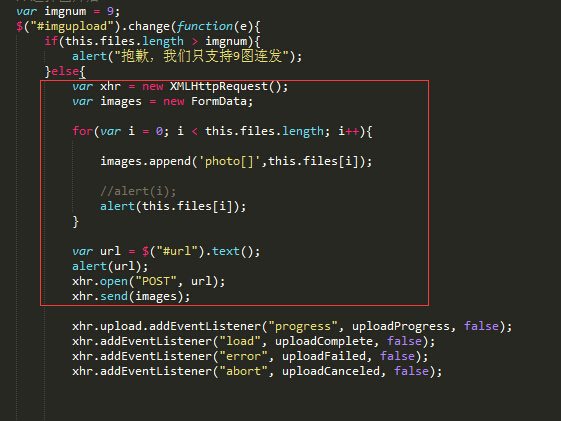
            var xhr = new XMLHttpRequest();

            var images = new FormData;


            for(var i = 0; i < this.files.length; i++){


                images.append('photo[]',this.files[i]);


                  //alert(i);

                  alert(this.files[i]);

            }


            var url = $("#url").text();

            alert(url);

            xhr.open("POST", url);

            xhr.send(images);


            xhr.upload.addEventListener("progress", uploadProgress, false);

              xhr.addEventListener("load", uploadComplete, false);

              xhr.addEventListener("error", uploadFailed, false);

              xhr.addEventListener("abort", uploadCanceled, false);


              function uploadProgress(evt) {

                  /*if (evt.lengthComputable) {

                    var percentComplete = Math.round(evt.loaded * 100 / evt.total);

                    document.getElementById('progressNumber').innerHTML = percentComplete.toString() + '%';

                  } else {

                    document.getElementById('progressNumber').innerHTML = 'unable to compute';

                  }*/

            }


            function uploadComplete(evt) {

                  /* This event is raised when the server send back a response */

                  //alert(evt.target.responseText);

                  var imgs = evt.target.responseText.split(",");

                  //alert(imgs);

                  //alert(imgs.length);

                  for(var i = 1; i < imgs.length; i++){


                      var img = "<div class='col-sm-2 col-md-2 col-lg-2 imgboxs'><img id='selectimg2' class='imgupload imgs' src=";

                    img += imgs[i];

                    img += "></div>";

                    //alert(img);

                    $("#selectimgbox").before(img);


                  }


                  $("#imgbox").show('slow');


            }


            function uploadFailed(evt) {

                  alert("There was an error attempting to upload the file.");

            }


            function uploadCanceled(evt) {

                  alert("The upload has been canceled by the user or the browser dropped the connection.");

            }

        }

});后台:public function upload(){
$upload = new \Think\Upload();// 实例化上传类
$upload->maxSize = 31457280 ;// 设置附件上传大小
$upload->exts = array('jpg', 'gif', 'png', 'jpeg');// 设置附件上传类型
$upload->rootPath = './Upload/'; // 设置附件上传根目录
$upload->savePath = ''; // 设置附件上传(子)目录
// 上传文件
$info = $upload->upload();
if(!$info) {// 上传错误提示错误信息
echo ($upload->getError());
}else{// 上传成功
dump($info);
//后台图片处理
/*foreach ($info as $imgs) {
$imgurl = "./uploads/" . $imgs['savepath'] . $imgs['savename'];
$imgthumb = new \Think\Image(\Think\Image::IMAGE_GD,$imgurl);
$thumbsavepath = "./uploads/thumb/" . $imgs['savepath'];
$thumburl = $thumbsavepath . $imgs['savename'];
//判断文件夹,如果不存在则自动创建
if (!file_exists($thumbsavepath)){
mkdir ($thumbsavepath);
}
//截取缩略图并保存到对应目录
$imgthumb->thumb(100, 100,\Think\Image::IMAGE_THUMB_CENTER)->save($thumburl);
//echo "/uploads/thumb/" . $imgs['savepath'] . $imgs['savename'];
echo "," . $thumburl;
}*/
}
}

最佳答案
