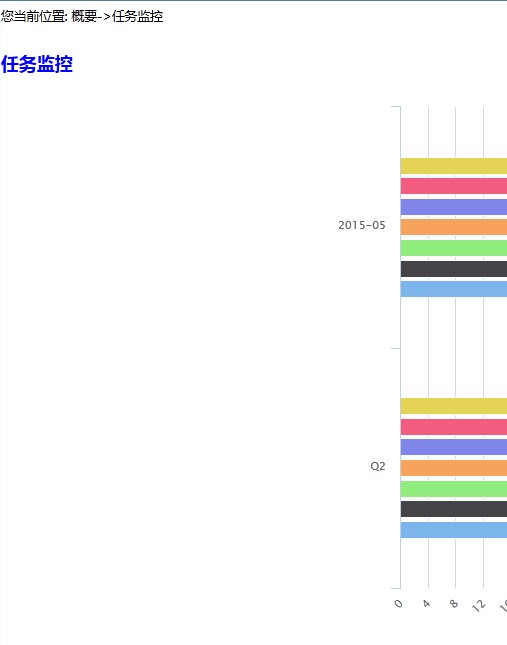
求帮忙,相关代码如下:
<div id="container" style="max-width:800px;height:600px"></div>js: $(function() {
var highcharts={ //图表展示容器,与div的id保持一致
chart: {
renderTo: 'container',
type: 'bar', //指定图表的类型,默认是折线图(line)
marginLeft: 100,
},
title: {
text: '任务进度' //指定图表标题
},
plotOptions: {
series: {
marker: {
radius: 0,
states: {
hover: {
enabled: true,
radius: 1
}
},
shadow: false
}
}
},
xAxis: {
categories:[],
//type: 'linear' //指定x轴分组
},
yAxis: {
title: {
text: '百分比(%)' //指定y轴的标题
},
min: 0,
tickInterval: 1,
max: 100,
},
credits:{
enabled: false
},
series:[]
};
//在这里赋值
chartShow=new Highcharts.Chart(highcharts);
});看页面中查看container这个div是居左的,但是图像所在的区域不居左,相应html为:<rect x="0" y="0" width="800" height="600" strokeWidth="0" fill="#FFFFFF" class=" highcharts-background"/>设置类highcharts-background的位置属性也不管用。 最佳答案
